


Update (August 13): This article has been updated with the latest NBA ticket info.
Scoring NBA tickets becomes an easy layup with the right game plan. From the opening tip to the game’s final seconds, Ticketmaster has basketball fans covered with 100% verified tickets to all of the league’s biggest matchups.
Get the ultimate assist on how to buy NBA tickets via Ticketmaster with all the essential tips below.
How to Buy NBA Tickets
1. What You Need Before You Buy
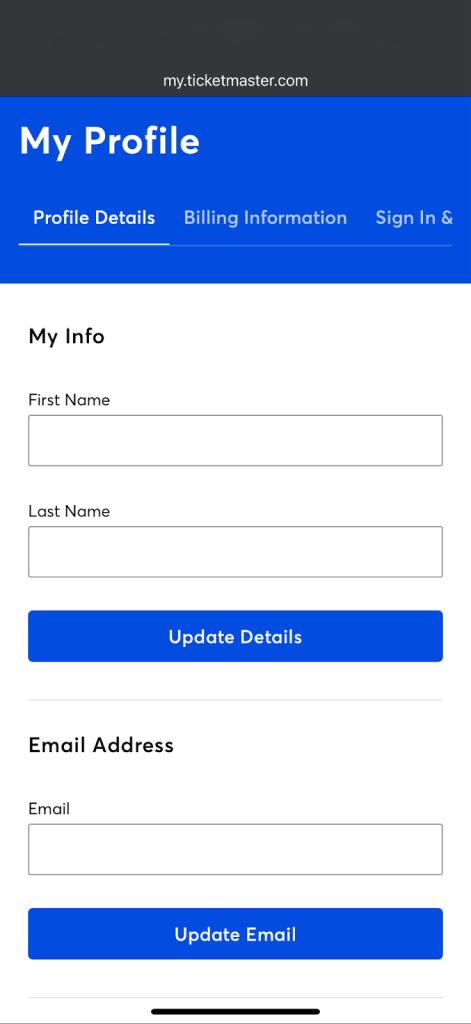
- Sign in to your Ticketmaster Account using a browser and verify your profile details, including first and last name, email address, phone number, location preference and zip code.
- Update your billing information and select your preferred payment method.
- Review your Sign In and Security information and add a passkey for faster, easier and more secure sign-ins.
2. Choose Your Game & Seats
- Find your NBA team via Ticketmaster at ticketmaster.com/nba.
- In the Ticketmaster App, select the game date and location that best fits your schedule.
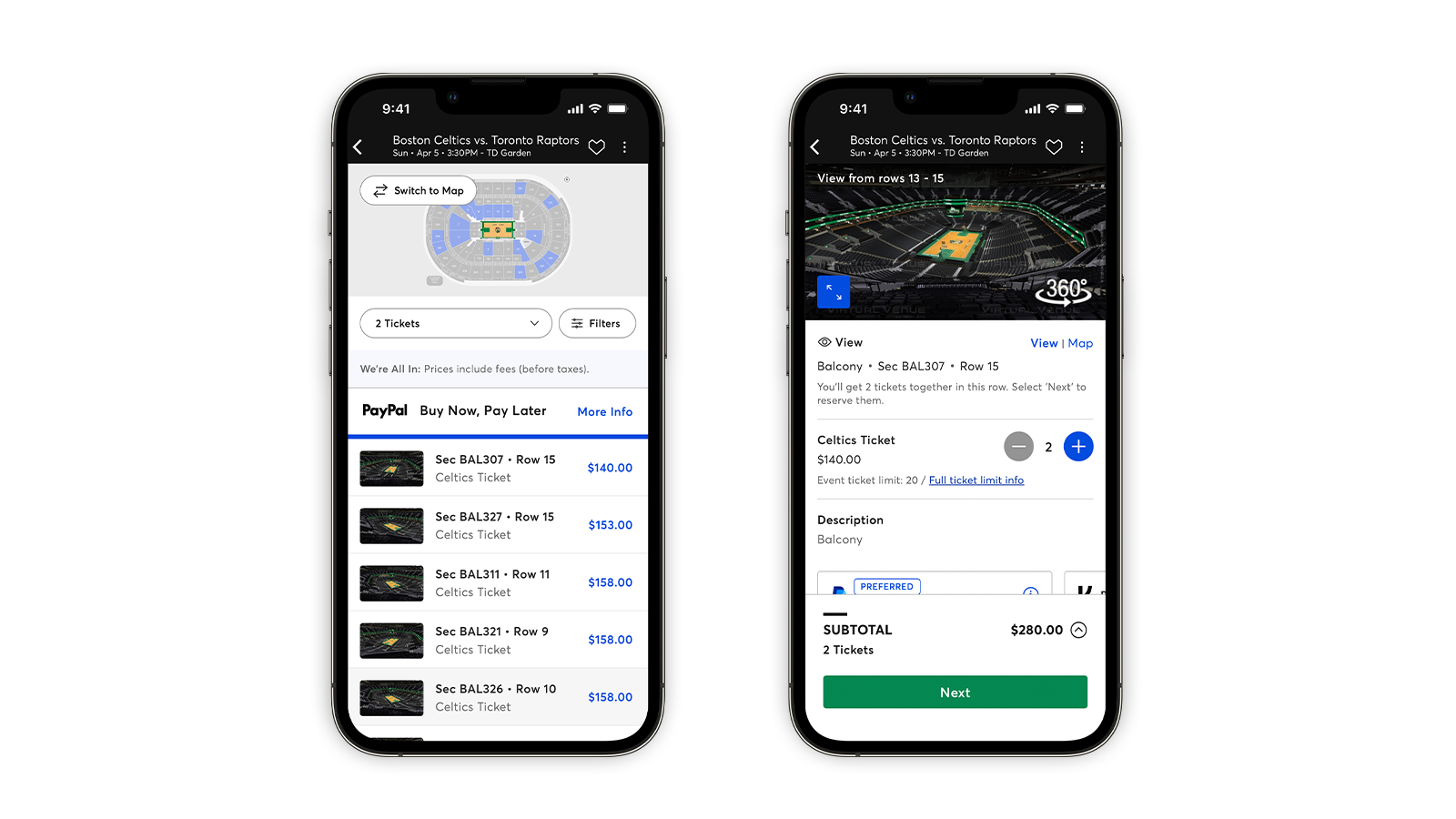
- Open the seat map and compare options using the 360-degree feature (when available) to find your favorite seat.
- Adjust your search by filtering for price, quantity, Verified Resale tickets and accessibility.
3. Check the Details & Total Price
- Hover over or tap on seats to find a seat description with notes such as admission type, restricted views or section details.
- Select seats and review the All In Pricing total, then click Next.
With All In Prices, you’ll be able to find NBA tickets within your budget right away, with no surprises at checkout. You’ll see the cost of your NBA ticket—including fees, before taxes—from the moment you start shopping.
4. Sign In & Pay
- If you haven’t already, sign in to your Ticketmaster Account.
- Select your payment method. You can use a stored payment method, add a credit card or use a payment platform like PayPal, Venmo or Klarna.
- Review your final order, read and agree to the Terms of Use and Standard Purchase Policy and select Place Order to secure your NBA tickets.
You can also apply a promo code or gift card if applicable.
As an optional service, ticket insurance via Allianz offers a full reimbursement in the event of select, covered emergencies and circumstances.
View this post on Instagram
5. Delivery, Transfers & Game Day
Once you buy NBA tickets, find your tickets by navigating to your account. Your tickets will show under My Tickets in the Ticketmaster App under “Upcoming.”
Download the Ticketmaster App for iPhone or Android.
How to Access NBA Tickets on Ticketmaster.com or in the Ticketmaster App
Before arriving at the venue, view your NBA tickets in the Ticketmaster App. Getting familiar with the App will help during gameday arrival, which features contactless, mobile entry. Here’s how to view your NBA tickets:
- Sign in to your Ticketmaster Account.
- Find your event in My Tickets.
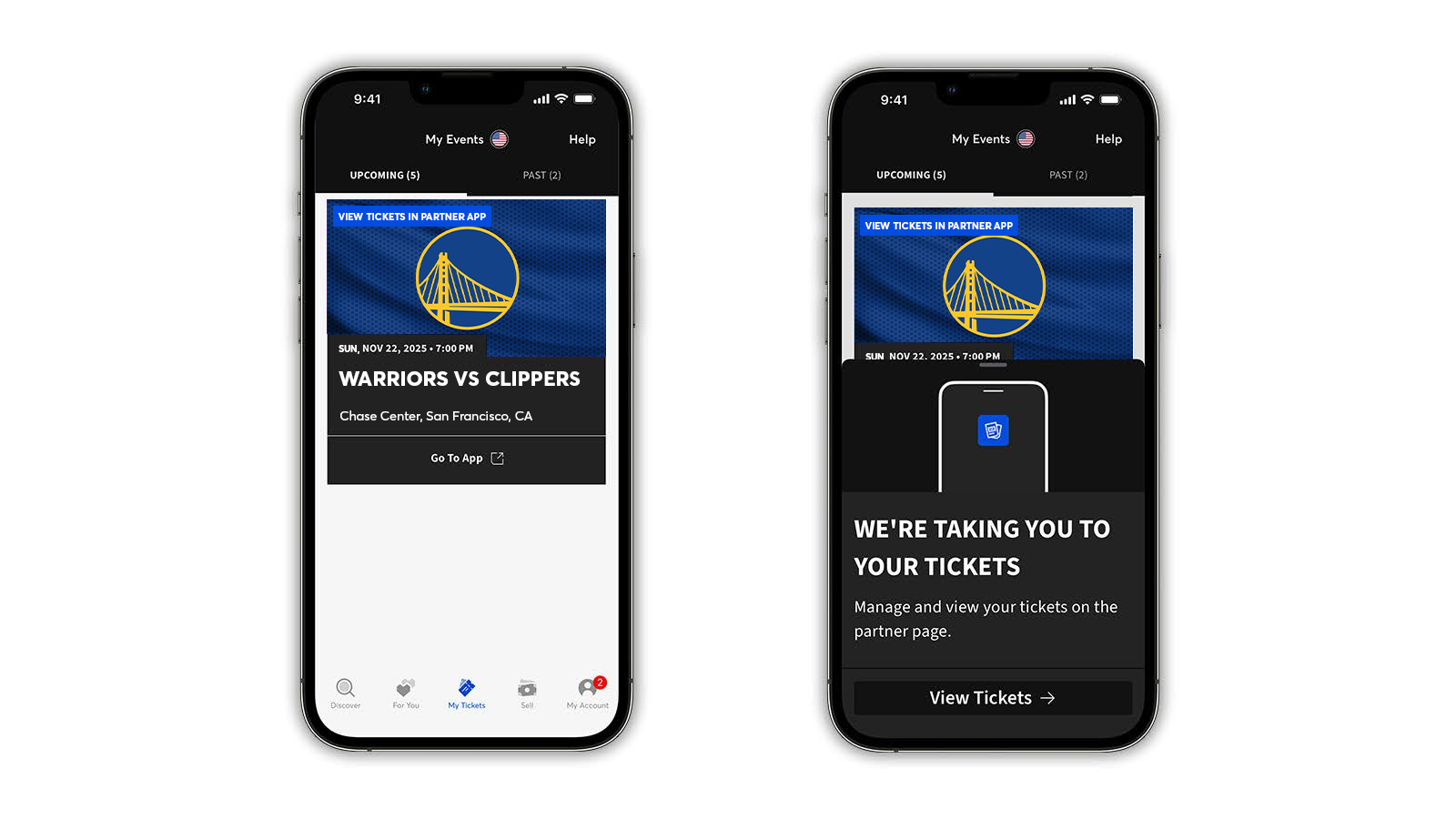
Note: If your tickets appear with a blue banner that says “view tickets in partner app,” tap the Go To App button. You’ll be taken directly to the team or venue app, where you can access your tickets. If you don’t have the app downloaded, you’ll be taken to the App Store or Play Store.
You can also access the team’s Account Manager site to sign in to your account. Find your team or venue’s website by using the Account Manager Site Search.
How to Add NBA Tickets to Your Wallet
Save yourself from WiFi and cell service disruptions and other last-minute delays at the gate by adding your tickets to your phone’s Apple Wallet or Google Wallet:
- In your Ticketmaster Account, tap on My Tickets to locate your event.
- Tap your event to view tickets or navigate to the team’s app.
- Tap the Add to Apple Wallet or Save to Google Wallet button.
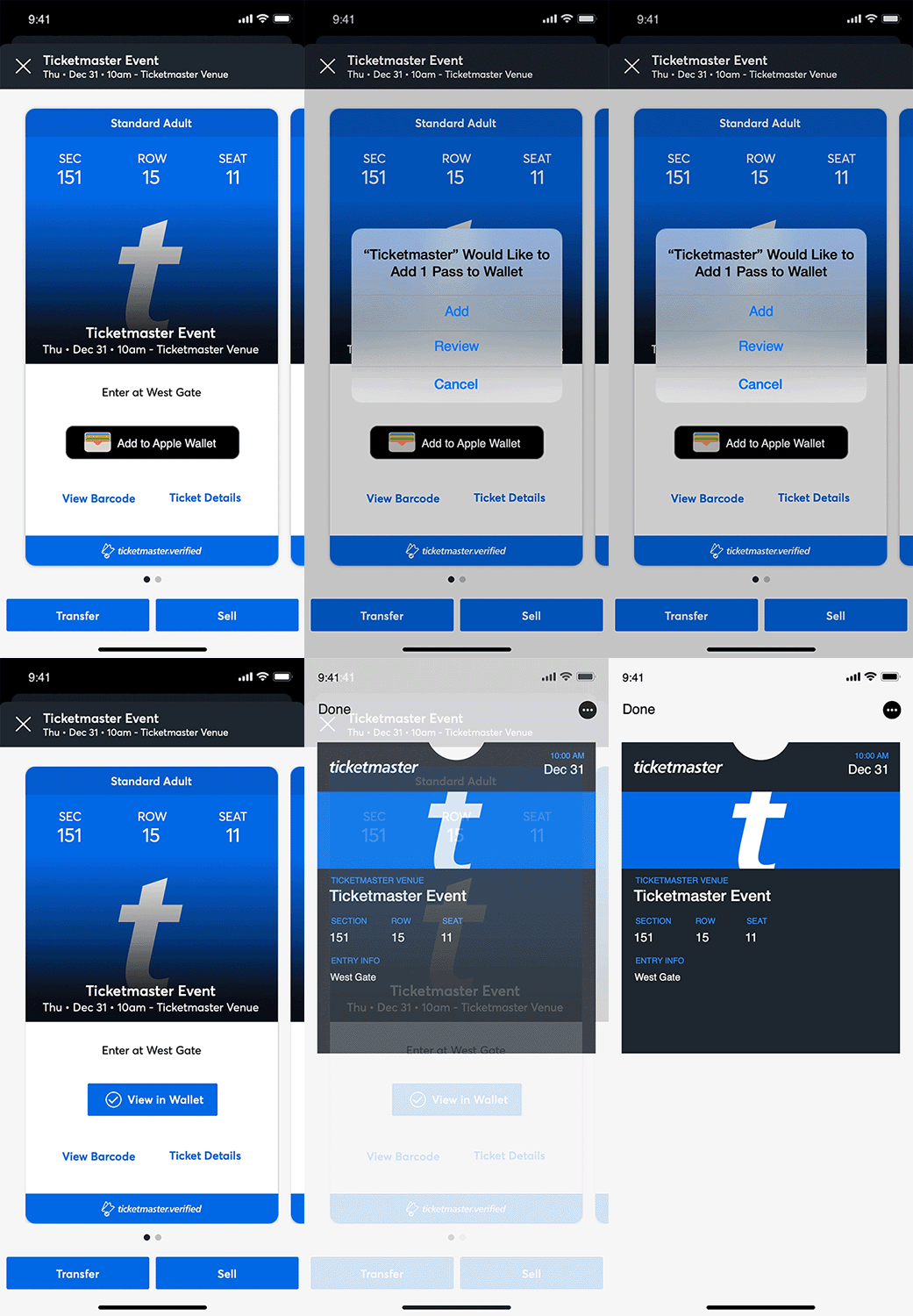
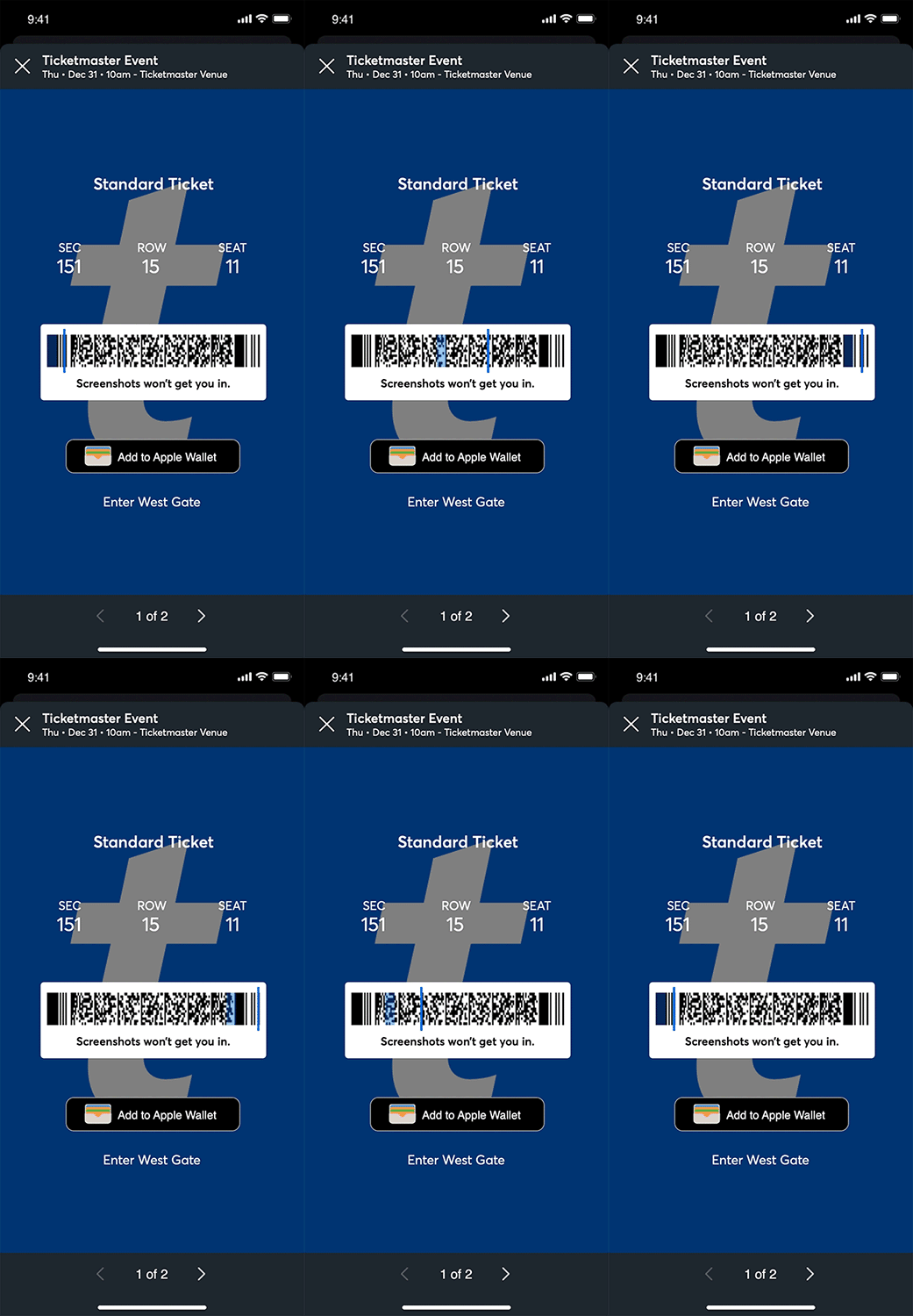
Bought seats for the whole group? Share tickets by clicking on your order and selecting the tickets you’d like to transfer.
- Sign in to your Ticketmaster Account and find your event in My Tickets, then select Transfer.
- If transfer isn’t available for your event, the button will be grayed out in the Ticketmaster App; if using a browser, a pop-up will let you know it’s unavailable.
- You’ll receive a text with a one-time code to verify your identity. Type in the code and select Confirm.
- Select the tickets you’d like to transfer, click or tap Transfer To and enter your recipient’s information, including their phone number or email address.
- Select Transfer Ticket. The recipient will then receive a transfer link sent from Ticketmaster via email or text.
How to Transfer NBA Tickets on Team- or Venue-Branded Site or App
- Sign in to your team or venue’s site or app. You can locate your team or venue’s website by using the Account Manager Site Search. Team and venue apps can be downloaded in the App Store or Play Store.
- Go to your events, select the event you’re transferring tickets for, then click Transfer. If you receive a message that the Event Organizer hasn’t activated transfer, your tickets aren’t eligible for transfer.
- You’ll receive a text with a one-time code to verify your identity. Type in that code and select Confirm.
- Select the tickets you’d like to transfer.
- Enter your recipient’s information, including their phone number or email address.
- Tap Transfer. The recipient will then receive a transfer link sent from Ticketmaster via email or text.
6. Add Your NBA Team To Favorites
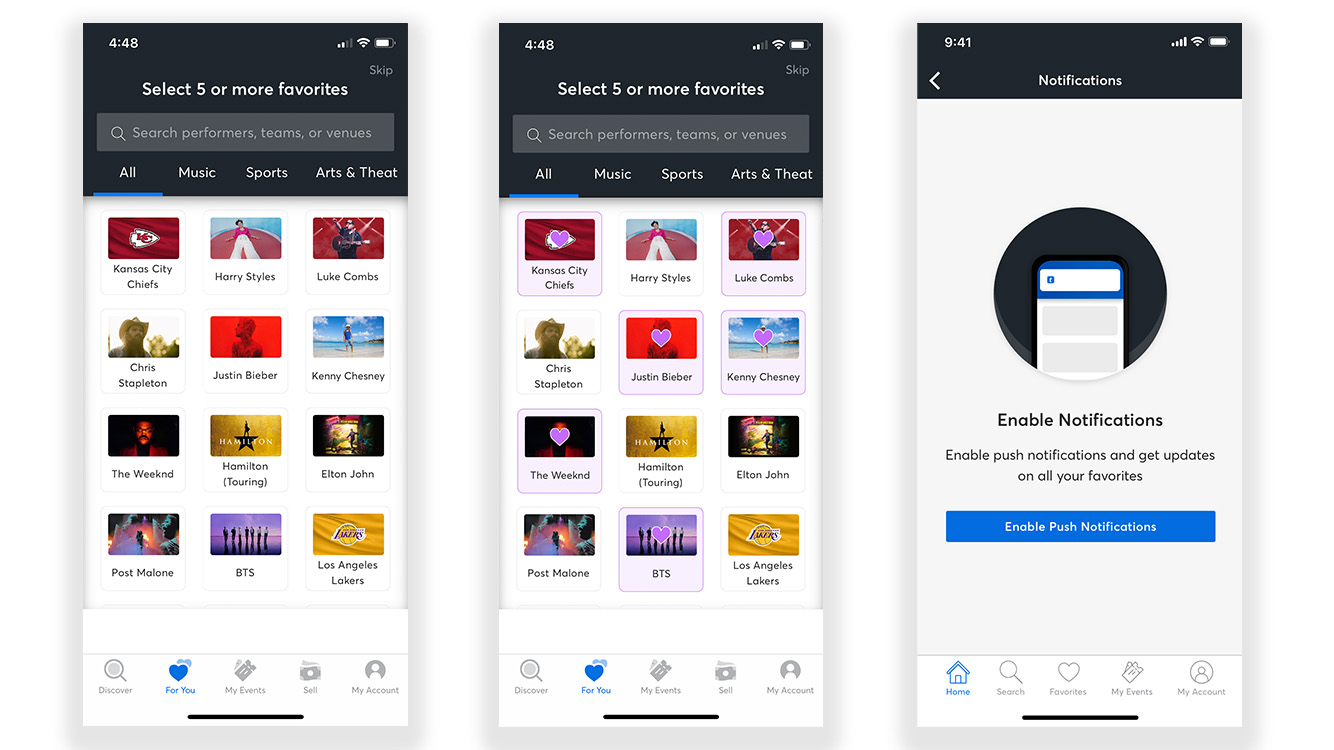
Don’t miss a single game by adding your team to your Favorites. Follow these steps:
- Sign in to your account in the Ticketmaster App.
- Select the For You tab and click the blue + button.
- Alternatively, tap the Account tab, then tap My Favorites and use the Add + button in the upper right corner or blue button below to see the available options or search.
- Tap the heart next to your favorite teams or venues.
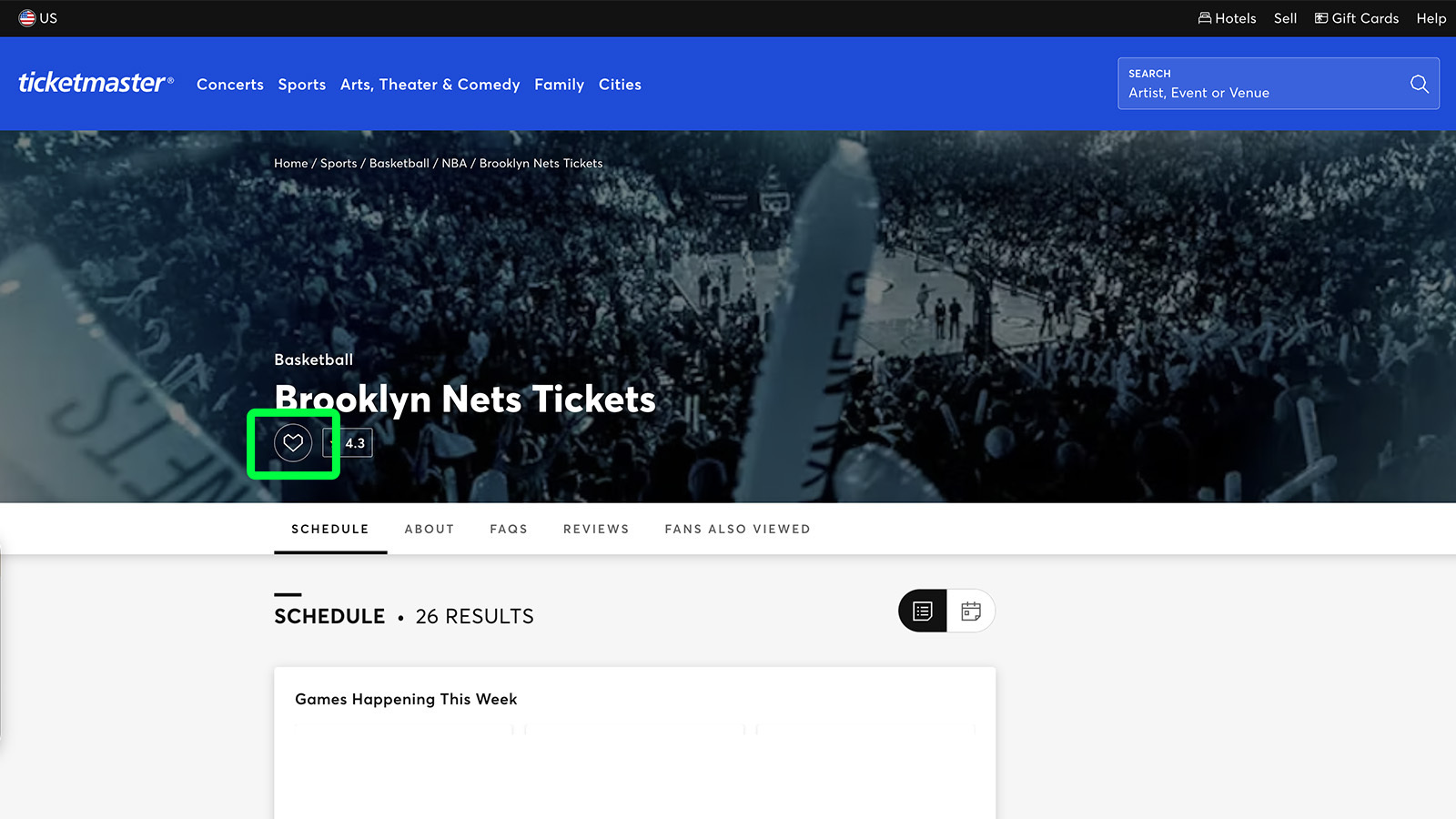
You can also add a team to your Favorites by tapping the 💜 (heart) icon located on the team’s Ticketmaster page—you’ll see it on the image at the top. Once you tap the heart, the team will be automatically added to your Favorites, and you’ll get personalized notifications around upcoming events.
What to Know about NBA Tickets
Primary vs. Secondary Market for NBA Tickets
NBA tickets are guaranteed 100% verified via Ticketmaster whether purchased on the primary or secondary market. With the same, unique authenticating process applied to all Ticketmaster purchases, the decision between buying direct versus resale tickets comes down to fans’ preferences and seat availability. All tickets will be 100% verified from the most trusted ticket marketplace for fans.
What are Verified Resale Tickets?
While selecting seats on Ticketmaster, NBA fans may see Verified Resale Tickets listed. Verified Resale Tickets allow fans to sell unused tickets securely via Ticketmaster. Each resale ticket is 100% authenticated by Ticketmaster and issued a new, unique barcode after purchase.
What to Know about Playoffs & NBA Finals Tickets
Tickets to the NBA Playoffs and NBA Finals are available via Ticketmaster.
Typically, NBA Playoffs tickets go on sale in April when a team clinches a playoff spot. Once a postseason matchup is set, tickets to all potential games in the series will be released on each contending team’s page. Refunds will be issued for any postseason games not played.
The 2026 NBA postseason games will be set after the league’s regular season ends on April 12, 2026. After that, the 2026 NBA Playoffs tip off on April 18, followed by the NBA Finals on June 3.
Ticketmaster vs. Other Websites
As the Official Ticket Marketplace of the NBA, Ticketmaster has the widest selection of seat options throughout the NBA season. Plus, Ticketmaster’s secure and stress-free shopping experience allows fans to search, buy and sell tickets safely and easily all in one place.
Avoid Fake NBA Tickets with Ticketmaster
Keep your ticket-buying experience protected by following general security habits including:
- Confirm your Ticketmaster account security information—including your unique and strong password—is up to date.
- Purchase NBA tickets directly from Ticketmaster.
- Avoid speculative tickets by waiting until schedule release, when game tickets officially go on sale.
- Make sure your password is unique to your Ticketmaster Account.
For more secure seat-buying tips, learn how to spot ticketing scams.
When is the Best Time to Buy NBA Tickets?
The best time to buy NBA tickets is when the league releases the regular season schedule and single-game tickets officially go on sale via Ticketmaster. Typically, the NBA regular season schedule is revealed in August. The latest schedule was released on August 13, 2026, and NBA tickets for the 2026-27 season are on sale now.
The price of an NBA ticket can vary based on a particular game’s matchup, city, date or time, the seat location and more. Additionally, a ticket’s purchase date and time can affect the total. Once the season starts, demand and price can also spike based on recent high-performing teams and players, headlining matchups and rematches, intense rivalry games, broader league stakes and more. Therefore, the safest time to secure NBA tickets will be the moment tickets go on sale.
Where To Buy Tickets for the Emirates NBA Cup
Tickets to the Emirates NBA Cup in-season tournament are available for purchase via Ticketmaster. Group Play and quarterfinal games are played at one of the participating teams’ home arenas with tickets listed on the individual team pages, while the semifinals and championship game are hosted at a neutral site and typically go on sale in August.
Before the next tournament tips off, find everything you need to know about the Emirates NBA Cup.
Where To Buy Tickets for the SoFi NBA Play-In Tournament
Tickets to the SoFi NBA Play-In Tournament will be available via Ticketmaster. Similar to NBA Playoffs tickets, tickets for the SoFi NBA Play-In Tournament go on sale once the postseason matchup has been determined. Basketball fans can find the games listed on the competing teams’ individual pages. Usually, the In-Season Tournament teams are set by late April.
Get ready for the playoffs with our primer on the NBA postseason and play-in tournament.
Where To Buy Tickets for the NBA G League
NBA G League tickets are available for purchase via Ticketmaster. The NBA G League regular season runs from November to March, followed by the NBA G League Playoffs in April.
Tags
You Might Like
Sports
Step Inside Little Caesars Arena, Home of the Detroit Pistons, Red Wings
Update (October 7): This article has been updated with the latest info about Little Caesars Arena. Home of the Detroit Pistons & Detroit Red Wings Little...
Music
How To See Concert Setlists From Your Favorite Artists on Ticketmaster
Are you that type of music fan who checks the setlist before the concert to see if your favorite artist is gonna play your favorite song? Or to know when in ...
Sports
Step Inside: Madison Square Garden – Home of the Knicks, Rangers
Home of the Knicks & Rangers Get in on the action at The Garden. In a city full of landmarks, locals and guests alike find even more spectacle at Madison...