



Step up to the plate with Ticketmaster for MLB tickets as the 2026 Major League Baseball season swings into action. Whether you’re planning far ahead or looking for unbeatable last-minute tickets right before the first pitch, you can snag the seats you want with 100% Ticketmaster Verified MLB tickets.
Cover all of your bases before you head to the ballpark. Here’s everything you need to know about buying MLB tickets.
How to Buy MLB Tickets
1. What You Need Before You Buy
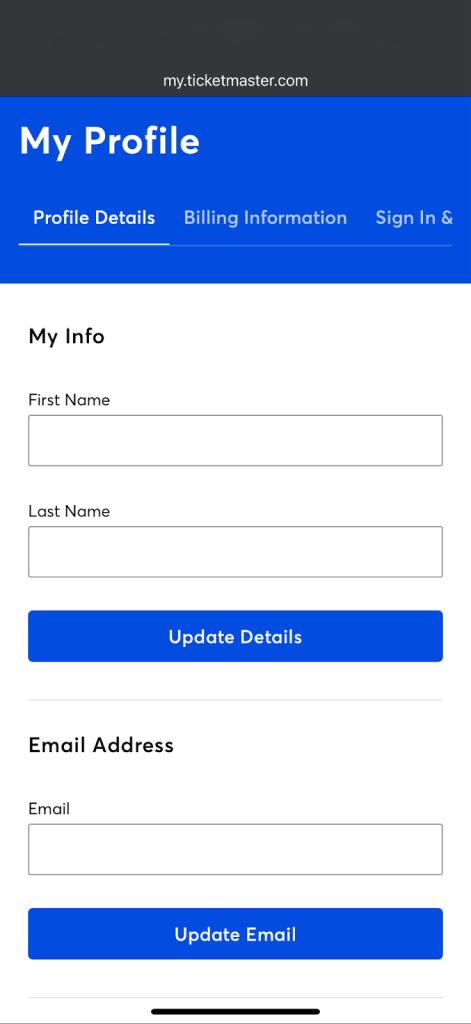
- Sign in to your Ticketmaster Account using a browser and verify your profile details, including your first and last name, email address, phone number, location preference and zip code.
- Update your billing information and select your preferred payment method.
- Go to the Sign In and Security tab to add a passkey. With a passkey, you never have to worry about remembering your password, making for faster, easier and more secure sign-ins.
2. Choose Your Game & Seats
- Find your MLB team via Ticketmaster at ticketmaster.com/MLB.
- Select the game date and location that best fits your schedule. Team schedules can be viewed in either list view or calendar view by tapping the corresponding icon at the top-left of the schedule on the team’s Ticketmaster page.
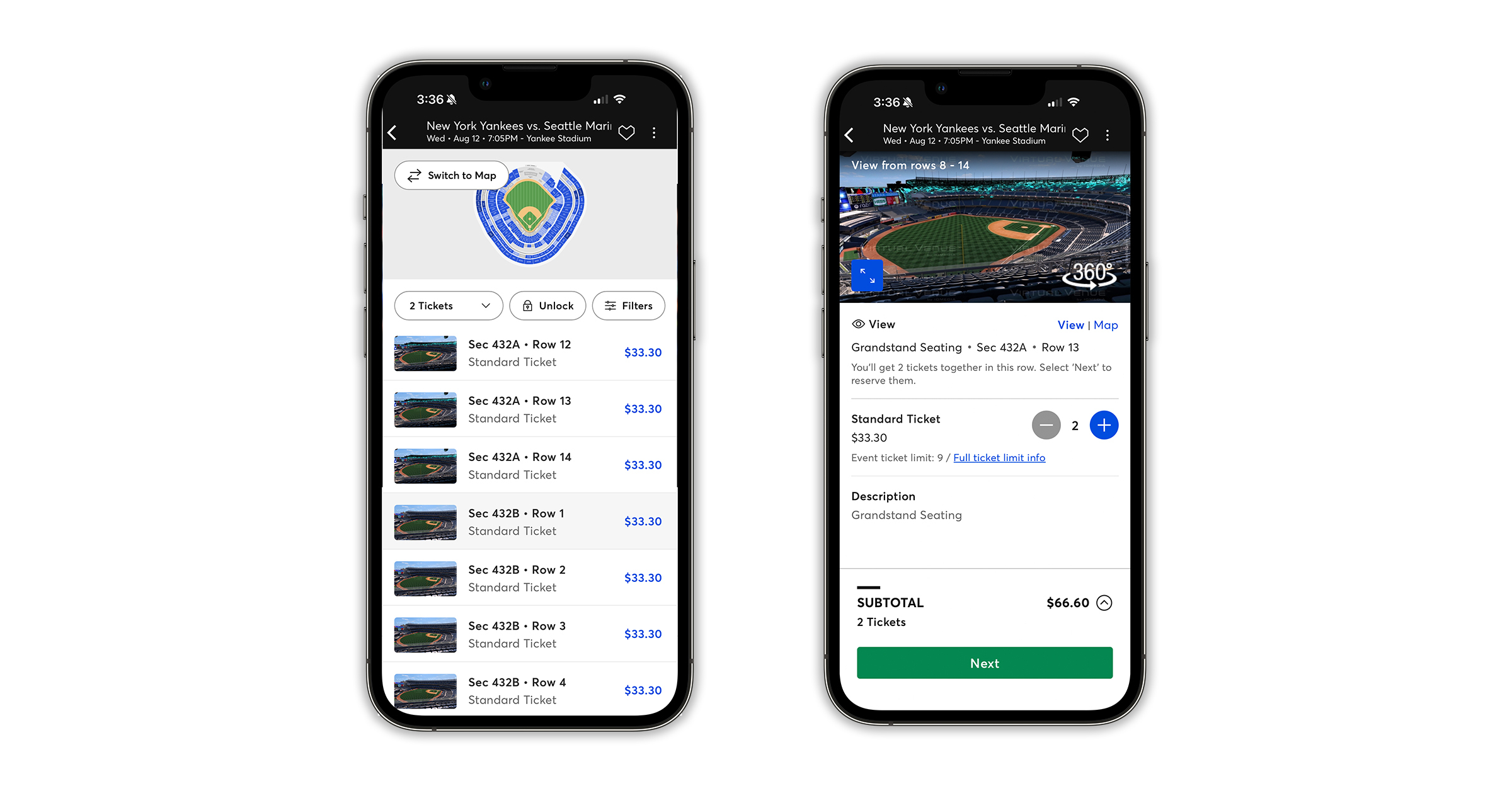
- Open the seat map and compare options to find your favorite seat.
- Adjust your search with filters that may include price, quantity, Standard Tickets, Verified Resale tickets and accessibility.
3. Check the Details & Total Price
- Hover over or tap on seats to find a seat description with notes such as admission type, restricted views or section details.
- Select seats and review the All In Pricing total, then click Next.
With All In Prices, you’ll be able to find 100% Ticketmaster Verified MLB tickets within your budget right away, with no surprises at checkout. You’ll see the cost of your MLB ticket, including fees, before taxes, from the moment you start shopping.
4. Sign In & Pay
- If you haven’t already, sign in to your Ticketmaster Account.
- Select your payment method. You can use a stored payment method, add a credit card or use a payment platform like PayPal, Venmo or Klarna.
- Review your final order, read and agree to the Terms of Use and Standard Purchase Policy and select Place Order to secure your MLB tickets.
As an optional service, ticket insurance via Allianz offers a full reimbursement in the event of select, covered emergencies and circumstances.
5. Delivery, Transfers & Game Day
Once you buy 100% Ticketmaster Verified MLB tickets, you can find your tickets by navigating to your Ticketmaster Account or to the MLB Ballpark App. All MLB tickets are mobile.
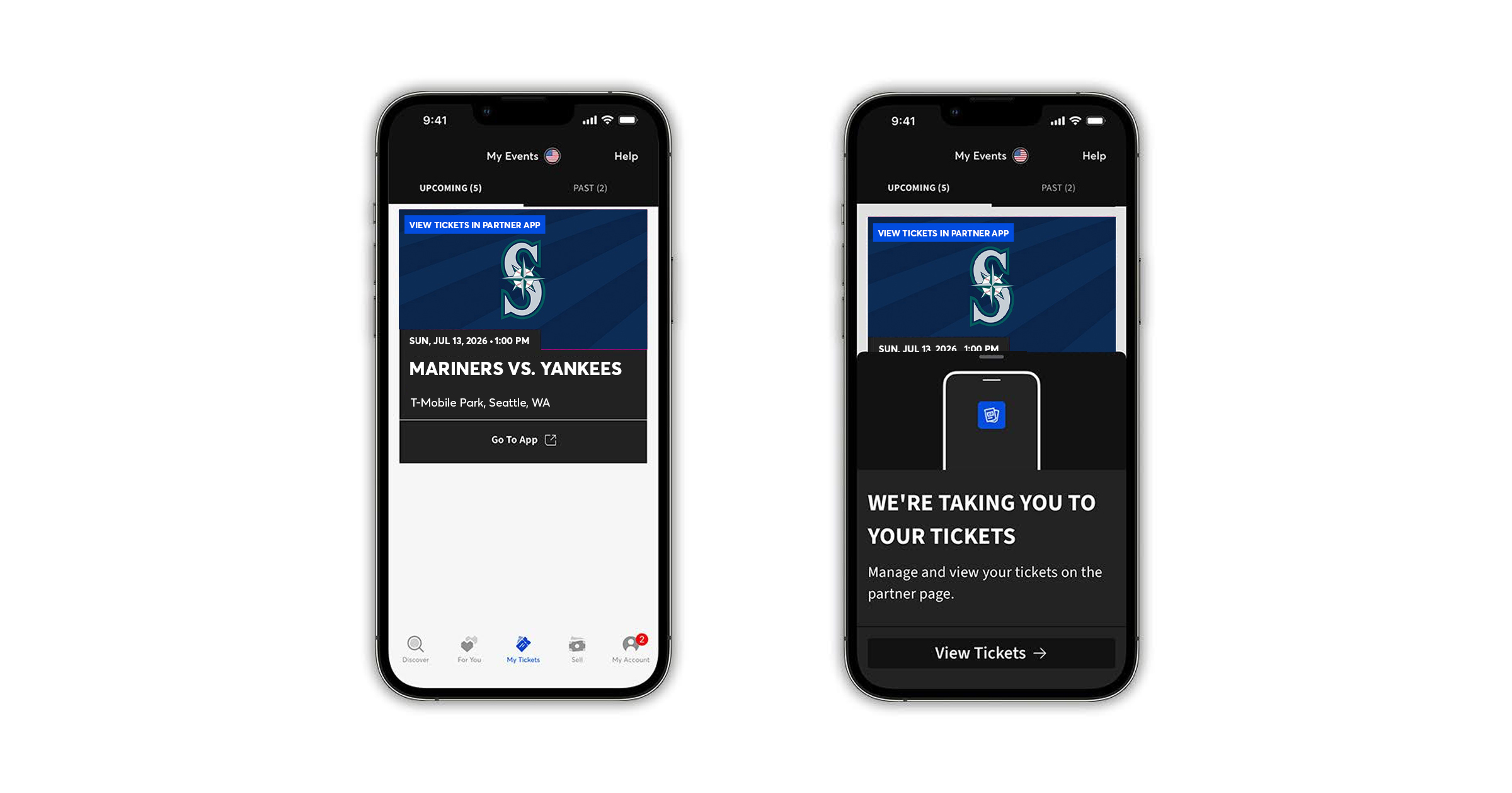
For tickets delivered by Ticketmaster, your tickets will show under My Tickets in the Ticketmaster App under Upcoming. Download the Ticketmaster App for iPhone or Android.
For tickets delivered by MLB, follow instructions in your purchase confirmation and download the MLB Ballpark App.
How to Access MLB Tickets in the Ticketmaster App
Before arriving at the ballpark, view your MLB tickets in the Ticketmaster App. Familiarity with the App can help with the gate entry process, which features contactless, mobile entry. Here’s how to view your MLB tickets:
- Sign in to your Ticketmaster Account.
- Find your order in My Tickets.
Note: You may be taken directly to the MLB Ballpark App or team app, where you can access your tickets.
You can also access the team’s Account Manager site to sign in to your account. Find your team or venue’s website by using the Account Manager Site Search.
How to Access MLB Tickets in the MLB Ballpark App
Before game day, view your MLB tickets in the MLB Ballpark App using the same email address you used to purchase on Ticketmaster. Find step-by-step instructions on how to access and manage your tickets in the MLB Ballpark app here.
How to Add MLB Tickets to Your Wallet
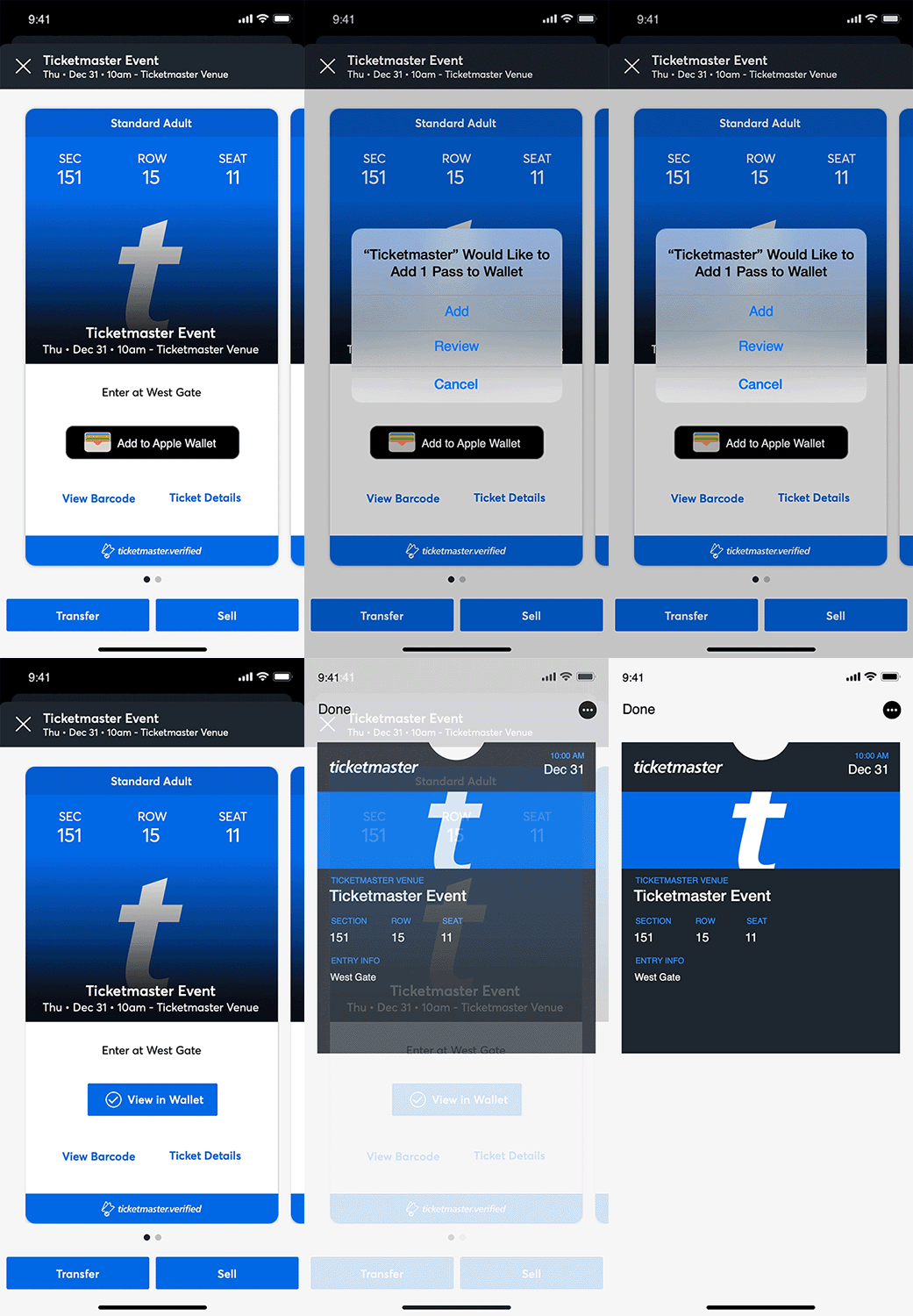
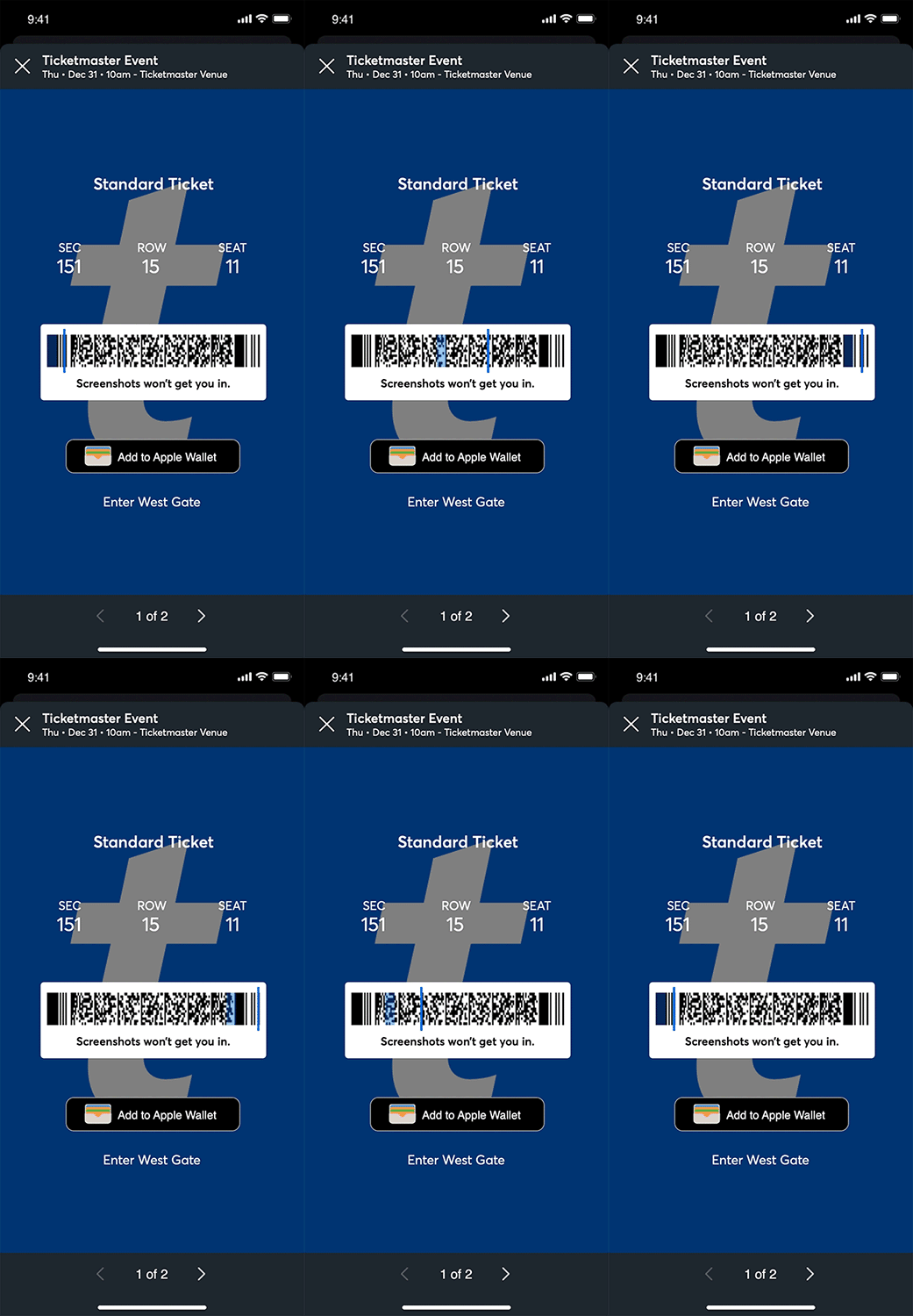
When applicable in the Ticketmaster App, save yourself from WiFi or service disruptions and other last-minute delays at the gate by adding your tickets to your phone’s Apple Wallet or Google Wallet:
- In your Ticketmaster Account, tap on My Tickets to locate your event.
- Tap your event to view tickets or navigate to the team’s app.
- Tap the Add to Apple Wallet or Save to Google Wallet button.
How to Transfer MLB Tickets on Ticketmaster.com or in the Ticketmaster App
Holding MLB tickets for your whole group? Depending on the team, you can share tickets via Ticketmaster.com or in the Ticketmaster App by following these steps:
- Sign in to your Ticketmaster Account and find your order in My Tickets, then select Transfer.
- If transfer isn’t available for your event, the button will be grayed out in the Ticketmaster App; if using a browser, a pop-up will let you know it’s unavailable.
- You’ll receive a text with a one-time code to verify your identity. Type in the code and select Confirm.
- Select the tickets you’d like to transfer, click or tap Transfer To and enter your recipient’s information, including their phone number or email address.
- Select Transfer Ticket. The recipient will then receive a transfer link sent from Ticketmaster via email or text.
How to Transfer MLB Tickets on Team- or Venue-Branded Site or App
- Sign in to your team or venue’s site or app. You can locate your team or venue’s website by using the Account Manager Site Search. Team and venue apps can be downloaded in the App Store or Play Store.
- Go to your events, select the event you’re transferring tickets for, then click Transfer. If you receive a message that the Event Organizer hasn’t activated transfer, your tickets aren’t eligible for transfer.
- You’ll receive a text with a one-time code to verify your identity. Type in that code and select Confirm.
- Select the tickets you’d like to transfer.
- Enter your recipient’s information, including their phone number or email address.
- Tap Transfer. The recipient will then receive a transfer link sent from Ticketmaster via email or text.
6. Add Your MLB Team To Favorites
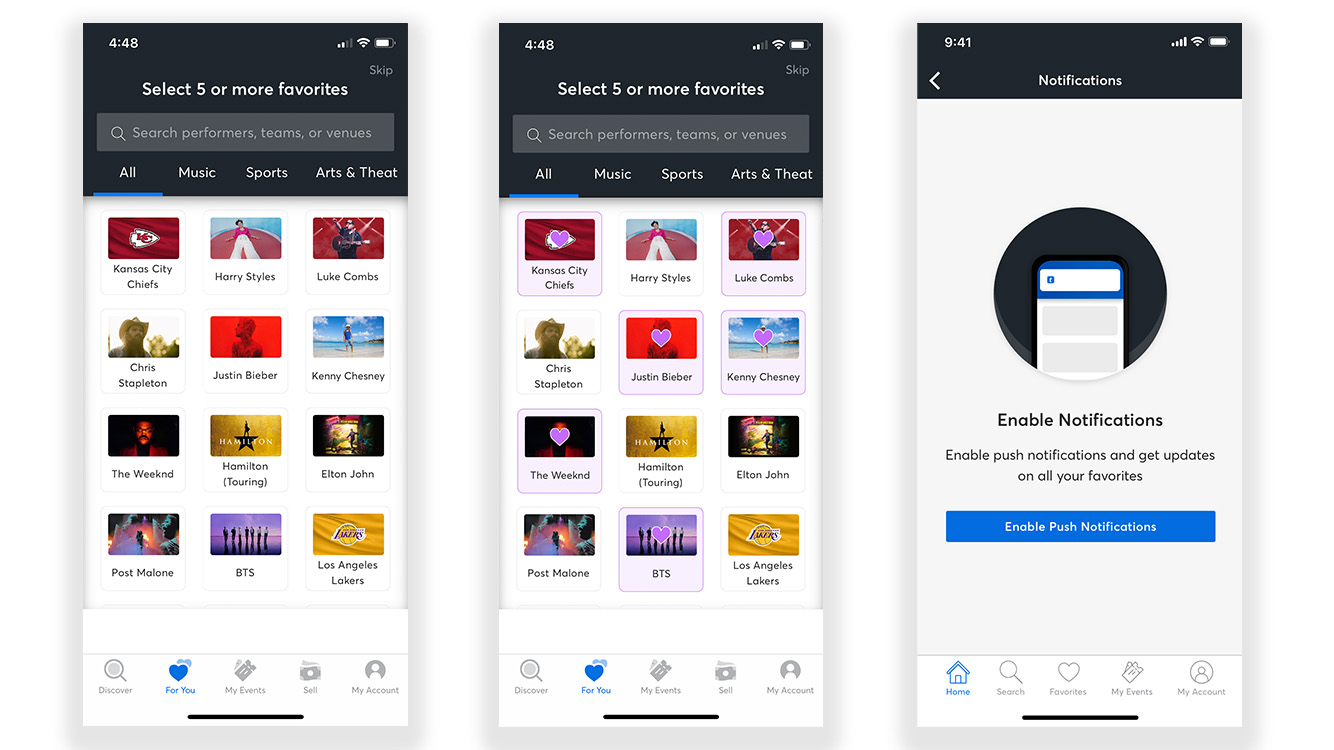
The best way to be sure you don’t miss any events is to add your MLB team to your Favorites. Follow these steps:
- Sign in to your account in the Ticketmaster App.
- Select the For You tab and click the blue + button.
- Alternatively, tap the Account tab, then tap My Favorites and use the Add + button in the upper right corner or blue button below to see the available options or search.
- Tap the heart next to your favorite teams or venues.
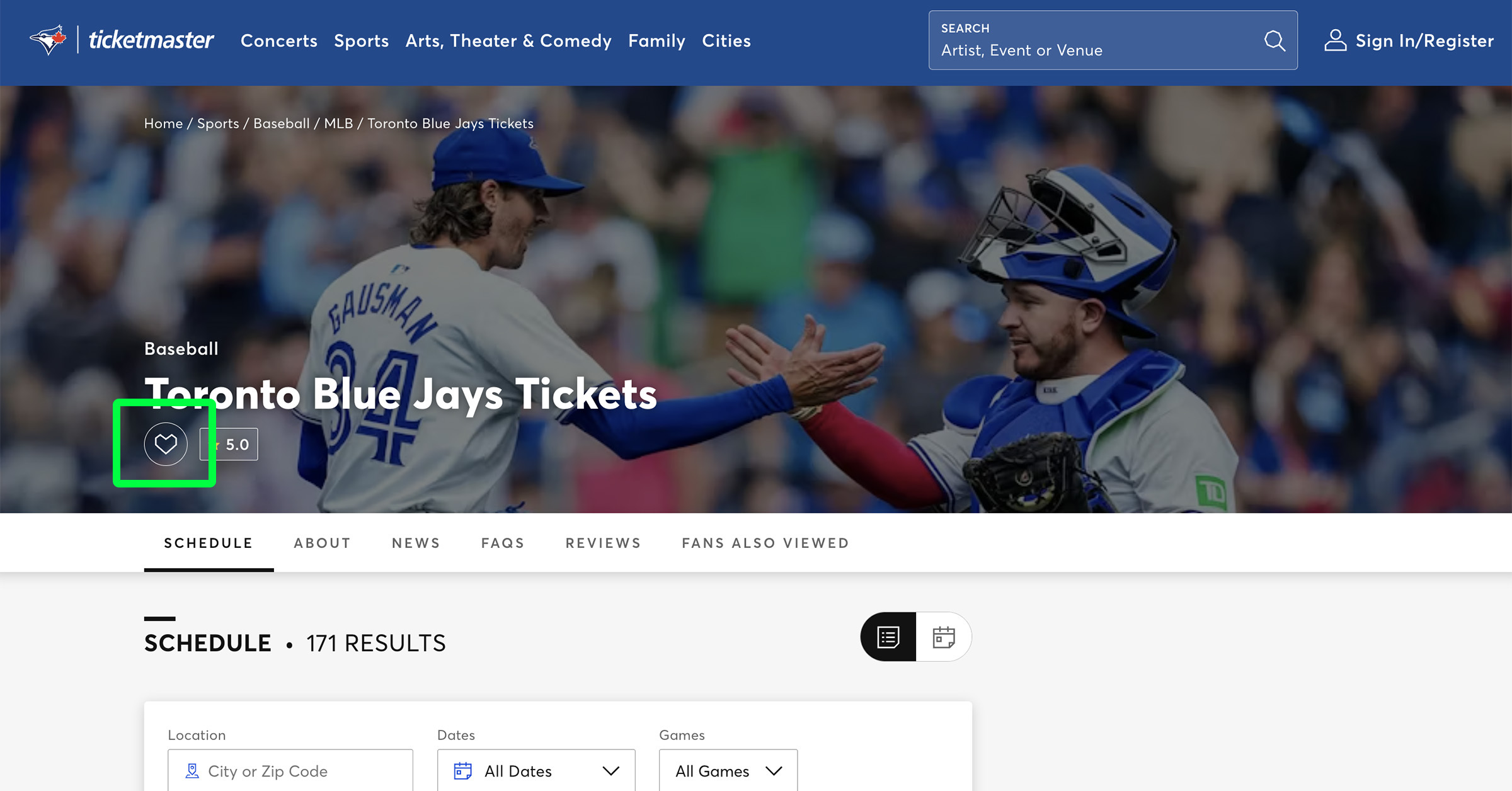
You can also add a team to your Favorites by tapping the 💜 (heart) located on the team’s Ticketmaster page—you’ll see it on the image at the top. Once you tap the heart, the team will be automatically added to your Favorites, and you’ll get personalized notifications around upcoming events.
What to Know about MLB Tickets
When it comes to buying MLB tickets, you can rest easy with 100% Ticketmaster Verified MLB tickets. Ticketmaster ensures a simple, safe and secure ticket-buying experience with tickets you can trust for every game, so fans can make stress-free purchases while focusing on key decision factors like pricing and seat availability.
Are There Any Hidden Fees?
There are no additional fees hidden when purchasing 100% Ticketmaster Verified MLB tickets. For every ticket listed on Ticketmaster, All In Pricing provides shoppers with the total cost of a ticket, including fees and before taxes, during the seat selection process. All In Prices give a comprehensive view of the ticket price range for each game, helping baseball fans stay on budget with no surprises waiting at checkout.
Ticketmaster vs. Other Websites
With Ticketmaster’s secure marketplace and vast selection of seat options, there’s no need to scan the field once MLB tickets go on sale. Ticketmaster helps baseball fans make it into the ballpark easily while sticking to their game plan thanks to our unmatched ticket-buying experience from seat selection to secure checkout.
Avoid Fake MLB Tickets with Ticketmaster
Keep your ticket-buying experience secured from start to finish by following general security practices such as:
- Confirm your Ticketmaster account security information is up to date, and protect your Ticketmaster Account with a unique password and passkey.
- Purchase MLB tickets directly from the event’s official partner. If you’re purchasing MLB tickets on Ticketmaster, you can trust that any MLB ticket you buy is 100% Ticketmaster Verified.
- Avoid speculative tickets by waiting until schedule release, when game tickets officially go on sale.
For more ticket-buying security tips, learn how to spot ticketing scams.
When Is the Best Time to Buy MLB Tickets?
The best time to purchase 100% Ticketmaster Verified MLB tickets is when tickets for the regular season first go on sale. Although Major League Baseball tends to release team schedules in late summer while the preceding season is still being played, tickets often go on sale the following January or February ahead of MLB Spring Training.
Ticket prices tend to fluctuate once baseball season kicks off due to factors like the intensity of MLB rivalry games, headlining matchups and rematches, broader league and conference stakes, recent high-performing teams and players, home game promotions, themes and giveaways and more. With the hype growing throughout the regular season, it’s safest to snag your tickets early before demand spikes. However, fans can score last-minute deals with tickets sold up to 1-2 hours after first pitch. Select MLB teams may end ticket sales at first pitch or 15-30 minutes after; check individual event pages for details.
The average MLB ticket price varies by game. Each Major League Baseball team sets their own original ticket price. Meanwhile, ticket prices on Ticketmaster’s resale marketplace are determined by the sellers and can differ in total cost from the original ticket price.
Where To Buy Tickets to MLB All-Star Week and All-Star Game
Tickets for MLB All-Star Week are available to buy via Ticketmaster. In 2026, the Philadelphia Phillies’ Citizens Bank Park will host MLB All-Star Week from July 11 to July 14, including the 96th MLB All-Star Game on July 14, 2026.
Where To Buy Tickets to the MLB Playoffs
Tickets for the 2026 MLB Playoffs are typically available via Ticketmaster once a team clinches a postseason berth. If a playoff series ends early, refunds will be issued for any games not played for tickets purchased via Ticketmaster. The 2026 MLB Playoffs are scheduled to start on September 29, 2026.
Where To Buy Tickets to the World Series
Tickets for the World Series can be purchased via Ticketmaster. Typically, tickets to the entire best-of-seven series are available once a team earns a spot in the playoffs; however, official tickets are often distributed first by the team to its season-ticket holders and randomly-selected fans via application or lottery process. In 2026, the World Series is set to begin on October 23, 2026.
Tags
You Might Like
Arts & Theatre
How to Get the Most Out of Your Ticketmaster Account
Your Ticketmaster Account—along with the Ticketmaster App—makes it easy to buy, sell, transfer, and manage your tickets. You’re probably already familiar wit...
Sports
Step Inside: Yankee Stadium, Home of the New York Yankees & NYCFC
Stadium History | Parking & Admission | Seating & Capacity | Food & Concessions Venue Quick Facts Venue Name Yankee Stadium Location Bronx, NY Pa...
Sports
Astros Promotions: Your Ultimate Guide to Game-Day Deals and Steals
Daikin Park is set to host some of the top teams of Major League Baseball, and Houston Astros fans will definitely enjoy the Astros promotional schedule for ...