



College football is here! The 2026-2027 NCAA college football season is underway, and Ticketmaster offers seat options for every fan, no matter the alma mater. From tickets to the biggest rivalry games in college football to season-clinching college bowl game tickets and College Football Playoff tickets, Ticketmaster gets fans into the stands easily, quickly and securely with tickets you can trust.
Make more unforgettable memories and check out everything you need to know about buying college football tickets below.
View this post on Instagram
How to Buy College Football Tickets
1. What You Need Before You Buy
- Prepare ahead of your purchase time by considering desired quantity, team/game preference, home vs. away location, accessibility needs, and parking needs.
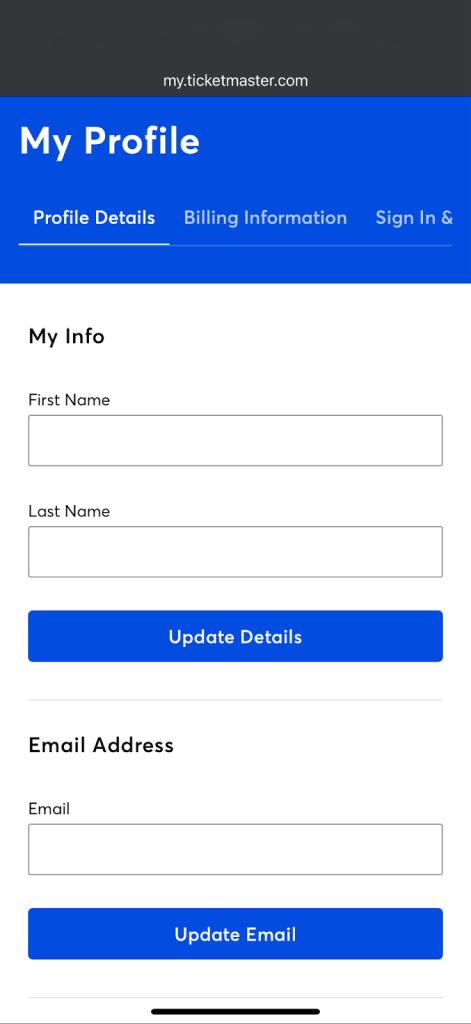
- Sign in to your Ticketmaster Account using a browser and verify your profile details, including your first and last name, email address, phone number, location preference and zip code.
- Update your billing information and select your preferred payment method.
- Review your Sign In and Security information and add a passkey for faster, easier and more secure sign-ins.
2. Choose Your Team, Game & Seats
- Find your college football team via Ticketmaster by searching for general college football matchups or a specific team name, game date, venue or city.
- Select the game date and location that best fits your schedule.
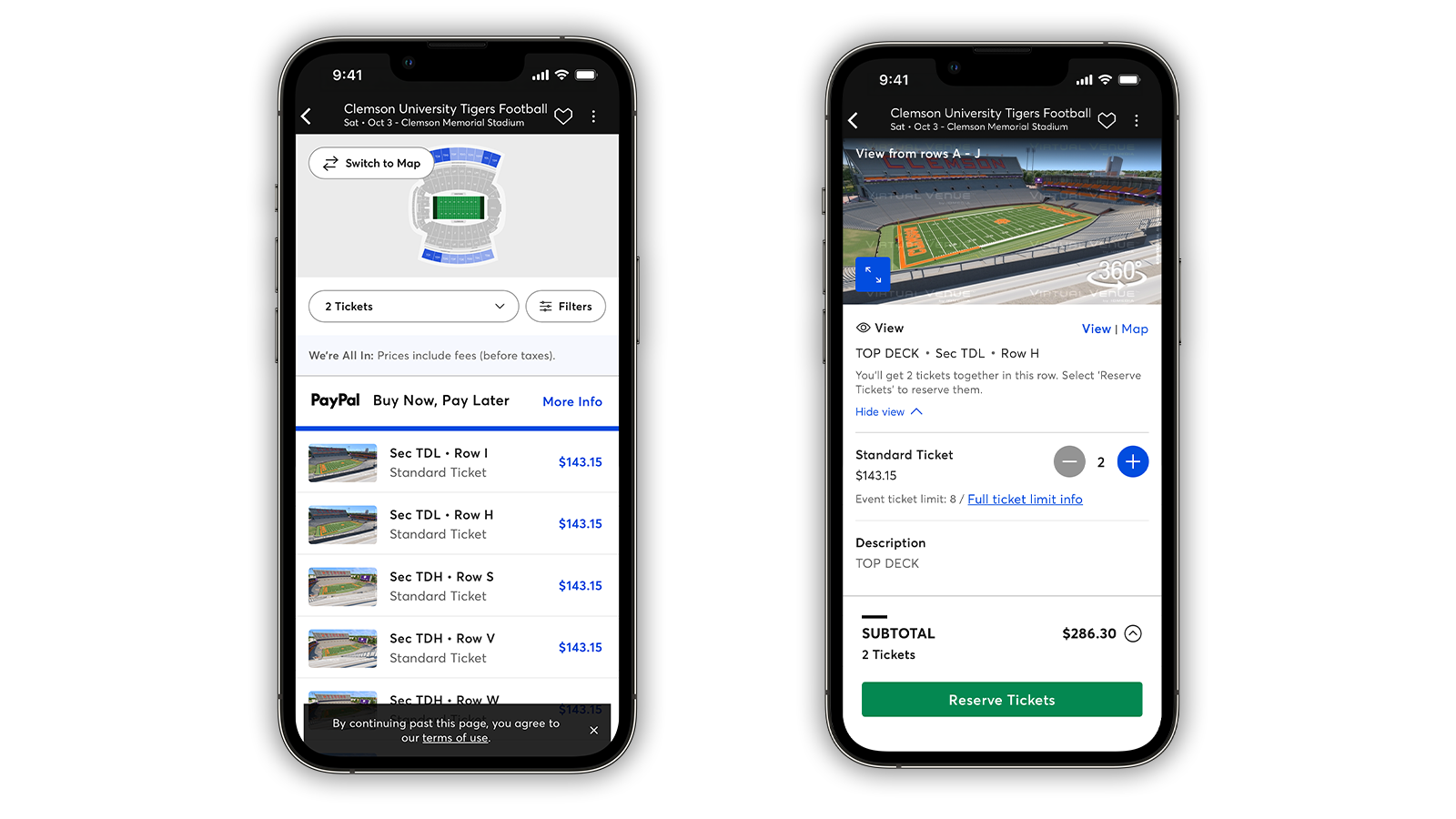
- Open the seat map and compare options using the view from seat feature (when applicable) to find your favorite seat.
- Adjust your search by filtering for price, quantity, Verified Resale tickets, accessibility and delivery options.
- Note that rivalry games, homecoming, bowl or championship events and matchups with high-demand opponents can affect ticket availability and prices
3. Check the Details & Total Price
- Hover over or tap on seats to find a seat description with notes such as admission type, restricted views or section details.
- Confirm any additional details such as ticket type, transfer timing, mobile delivery, opponent/date and venue entry requirements.
- Select seats and review the All In Pricing total, then click Next.
With All In Prices, you’ll be able to find college football tickets within your budget right away, with no surprises at checkout. You’ll see the cost of your NCAA football ticket—including fees, before taxes—from the moment you start shopping.
4. Sign In & Pay
- If you haven’t already, sign in to your Ticketmaster Account.
- Select your payment method. You can use a stored payment method, add a credit card or use a payment platform like PayPal, Venmo or Klarna.
- Review your final order, read and agree to the Terms of Use and Standard Purchase Policy and select Place Order to secure your NCAAF tickets.
You can also apply a promo code or gift card if applicable.
As an optional service, ticket insurance via Allianz offers a full reimbursement in the event of select, covered emergencies and circumstances.
5. Delivery, Transfers & Game Day
Once you buy college football tickets, find your tickets by navigating to your account. Your tickets will show under My Tickets in the Ticketmaster App under “Upcoming.”
Download the Ticketmaster App for iPhone or Android.
How to Access College Football Tickets on Ticketmaster.com or in the Ticketmaster App
Before arriving at the stadium, view your tickets in the Ticketmaster App. Getting familiar with the App will pay off during gameday arrival, which features contactless, mobile entry. Here’s how to view your college football tickets:
- Sign in to your Ticketmaster Account.
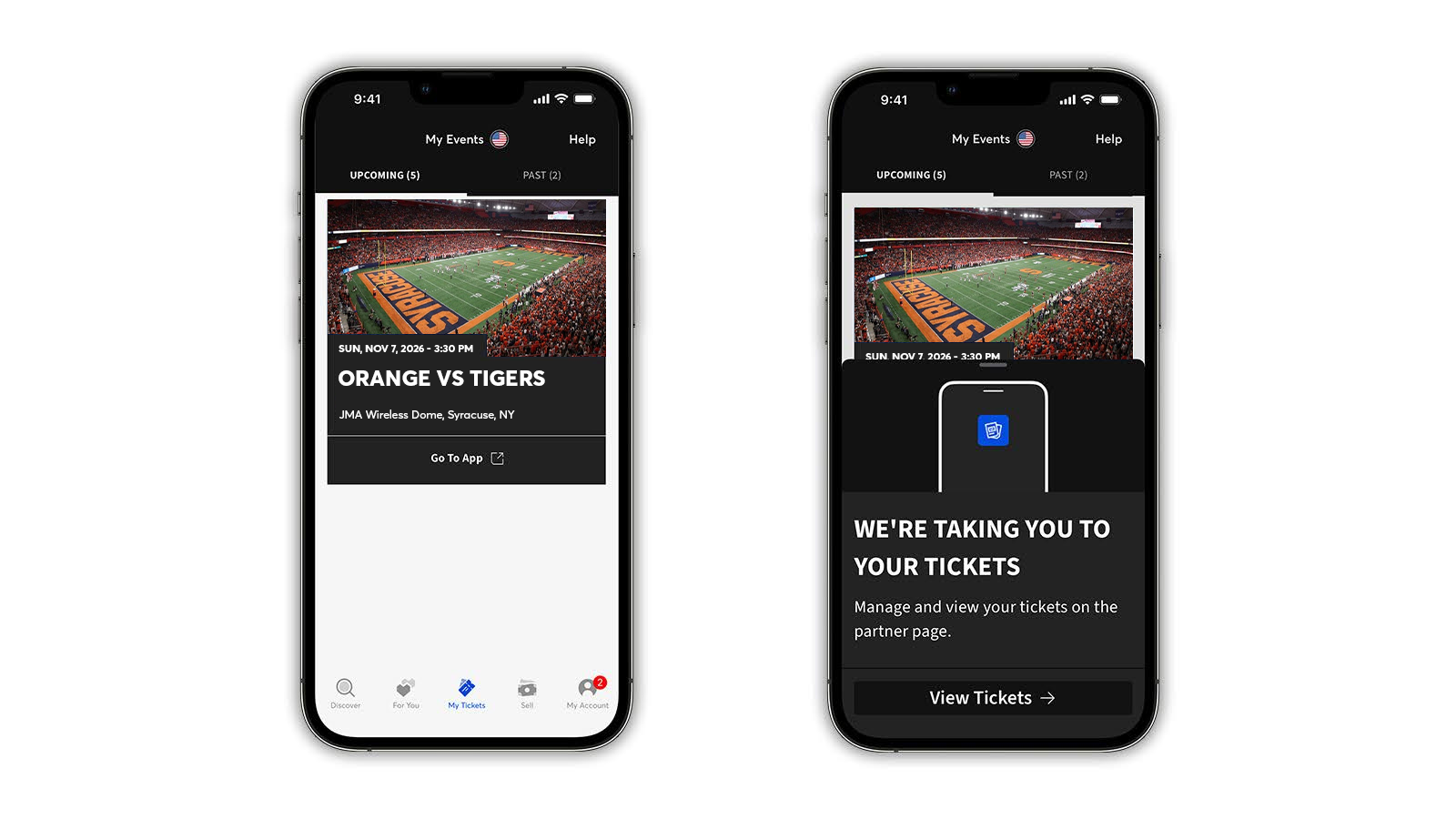
- Find your order in My Tickets.
Note: If your tickets appear with a blue banner that says “view tickets in partner app,” tap the Go To App button. You’ll be taken directly to the team or venue app, where you can access your tickets. If you don’t have the app downloaded, you’ll be taken to the App Store or Play Store.
You can also access the team’s Account Manager site to sign in to your account. Find your team or venue’s website by using the Account Manager Site Search.
Finally, get inside and enjoy the game!
How to Add College Football Tickets to Your Wallet
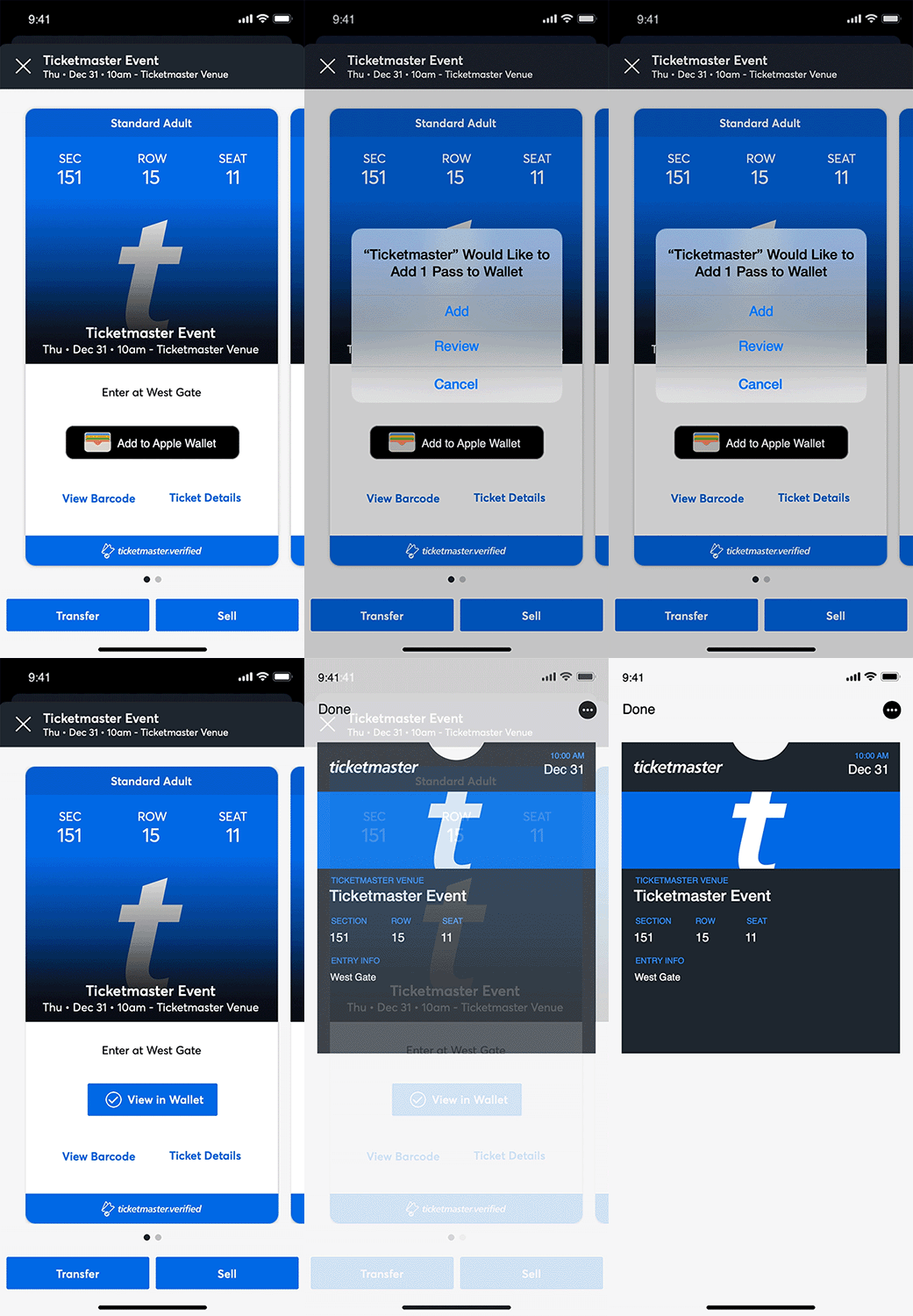
Save yourself from WiFi or service disruptions and other last-minute delays at the gate by adding your tickets to your phone’s Apple Wallet or Google Wallet:
- In your Ticketmaster Account, tap on My Tickets to locate your event.
- Tap your event to view tickets or navigate to the team’s app.
- Tap the Add to Apple Wallet or Save to Google Wallet button.
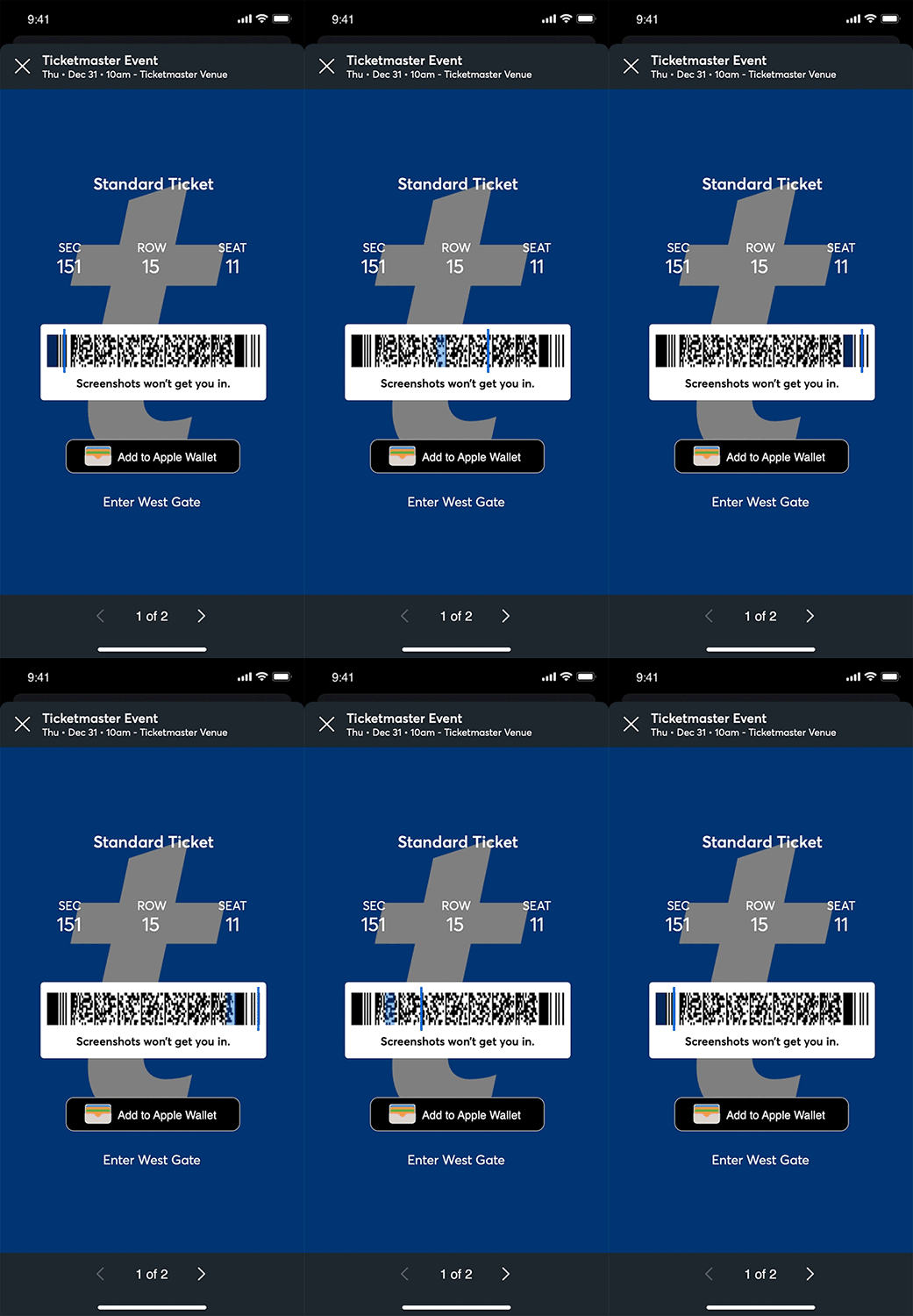
Got seats for the whole group? Share tickets by clicking on your order and selecting the tickets you’d like to transfer.
- Sign in to your Ticketmaster Account and find your order in My Tickets, then select Transfer.
- If transfer isn’t available for your event, the button will be grayed out in the Ticketmaster App; if using a browser, a pop-up will let you know it’s unavailable.
- You’ll receive a text with a one-time code to verify your identity. Type in the code and select Confirm.
- Select the tickets you’d like to transfer, click or tap Transfer To, and enter your recipient’s information, including their phone number or email address.
- Select Transfer Ticket. The recipient will then receive a transfer link sent from Ticketmaster via email or text.
How to Transfer College Football Tickets on Team- or Venue-Branded Site or App
- Sign in to your team or venue’s site or app. You can locate your team or venue’s website by using the Account Manager Site Search. Team and venue apps can be downloaded in the App Store or Play Store.
- Go to your events, select the event you’re transferring tickets for, then click Transfer. If you receive a message that the Event Organizer hasn’t activated transfer, your tickets aren’t eligible for transfer.
- You’ll receive a text with a one-time code to verify your identity. Type in that code and select Confirm.
- Select the tickets you’d like to transfer.
- Enter your recipient’s information, including their phone number or email address.
- Tap Transfer. The recipient will then receive a transfer link sent from Ticketmaster via email or text.
6. Add Your College Football Team To Favorites
The best way to be sure you don’t miss any events is to add your team to your Favorites.
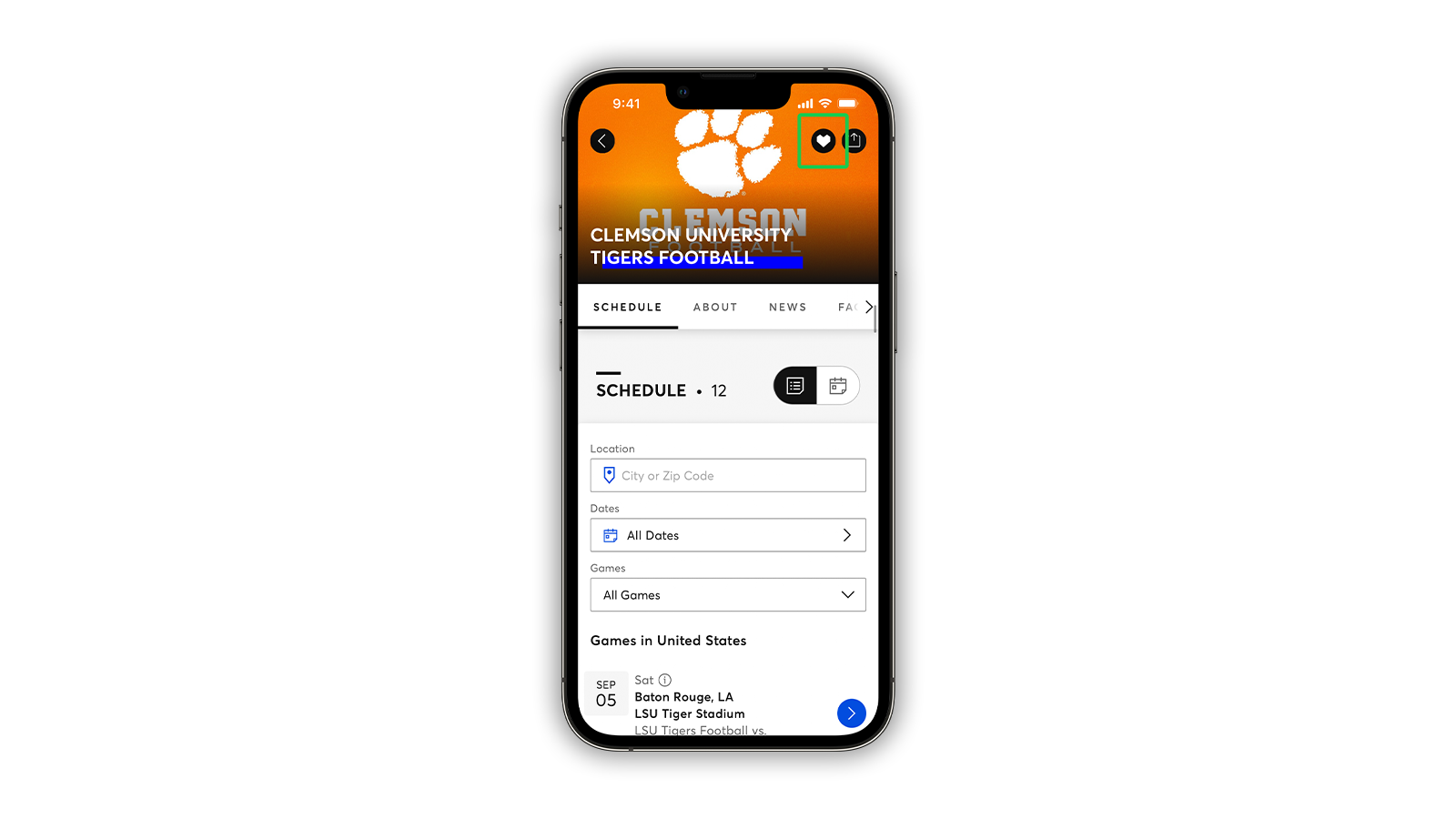
Add a team to your Favorites by tapping the 💜 (heart) located on the team’s Ticketmaster page—you’ll see it on the image at the top. Once you tap the heart, the team will be automatically added to your Favorites, and you’ll get personalized notifications around upcoming events.
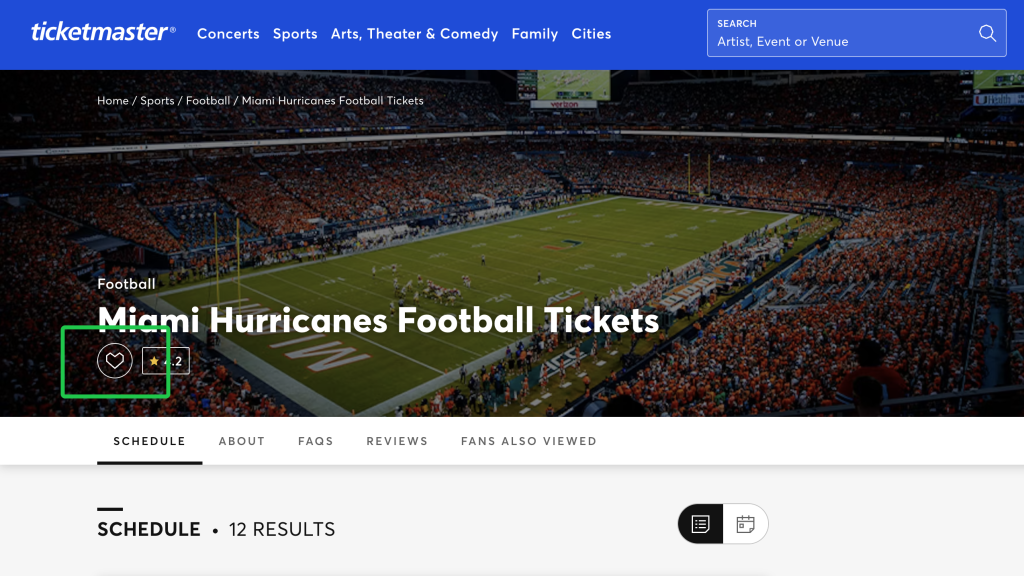
You can also add Favorites with these steps:
- Sign in to your account in the Ticketmaster App.
- Select Account in the bottom right-hand corner and then tap the Favorites tab.
- Select the pink Add Favorites bar at the bottom of the page and then search for your favorite college team.
- Tap once on your team and a pink heart will appear, noting it’s been added to your favorites.
What to Know About College Football Tickets
Primary vs. Verified Resale College Football Tickets
As the most trusted ticket marketplace for fans, Ticketmaster ensures a safe and secure seat-purchasing experience in both primary and secondary markets. For college football tickets purchased via Ticketmaster, the choice between buying direct versus resale tickets comes down to fans’ preferences and seat availability.
What Are Verified Resale Tickets?
Verified Resale tickets are tickets purchased on Ticketmaster, put back on sale by a previous buyer, and resold to fans. After purchasing a Verified Resale ticket, the ticket’s previous barcode is invalidated and a new barcode is issued.
Single-Game Tickets vs. Season Tickets, Student Tickets & Packages
College football fans have a variety of ticket options to choose from while picking seats for gameday. Based on factors like price, inventory, and an individual’s availability, fans can grab tickets to a single game or opt for multiple-game packages and season tickets.
Additionally, college football tickets may feature special designations for student section seats, student discounts, alumni or family buying options, or instructions for team/account managers, when applicable. Note that student prices or discounts depend on team, school, venue and event organizer setup.
College Football Playoff & Championship Tickets
The action isn’t over once college football’s regular season ends. College football’s postseason generally runs from December to January with a mix of college bowl games and several rounds of the College Football Playoff leading up to the College Football Playoff National Championship.
Compared to regular season matchups, postseason college football games may be subject to higher demand, neutral-site venues, travel planning, changing inventory and resale availability.
With Ticketmaster, secure your place in the postseason with college bowl game tickets and College Football Playoff tickets.
Ticketmaster vs. Other Websites
Best Place to Buy College Football Tickets
When it comes to finding a seat in the stands for your favorite college football team, Ticketmaster offers a reliable and secure ticket-buying process. Whether you’re purchasing directly from the team or fan-to-fan resale, Ticketmaster gives you a safe and simple purchase experience with a wide selection of seat options, transparent pricing, and secure checkout with multiple-factor authentication.
How to Avoid Fake College Football Tickets
Keep your seat selection experience secured from start to finish by following general ticket security practices such as:
- Buy from official or verified sources.
- Verify that your Ticketmaster account security information is up to date, and protect your Ticketmaster Account with a unique password and passkey.
- Purchase NCAAF tickets directly from the event’s official partner. If you’re purchasing college football tickets on Ticketmaster, you can trust that the process is safe and secure.
- Avoid speculative tickets by purchasing when they officially go on sale.
- Disregard screenshots and tickets delivered via social DMs.
- Confirm ticket delivery method.
- Check event details before paying.
- Review any ticket deals, team discounts, or prices that seem too-good-to-be-true.
- Host tickets securely in your Ticketmaster App when possible.
For more ticket-buying security tips, learn how to spot ticketing scams.
When Is the Best Time to Buy College Football Tickets?
The best time to purchase NCAA football tickets is when tickets for the regular season first go on sale. Typically, college football tickets are released in phases, with season tickets and multi-game packages going on sale in the spring prior to the regular season. Single-game tickets for the public generally follow in early summer. However, college football fans have the option to purchase last-minute college football tickets up until kickoff via Ticketmaster, while inventory lasts.
Heading into the postseason, the release schedules for college bowl game tickets and College Football Playoff tickets vary. For postseason college football games, factors like opponent, venue and demand dynamics may change quickly.
Once the college football season kicks off, ticket prices tend to fluctuate. College football ticket prices may be affected by the opponent matchup, broader conference or postseason stakes, recent high-performing teams and players, special events like Homecoming, theme nights and rivalry games and more. Because the hype (and ticket demand) is bound to build throughout the season, it’s safest to snag your tickets early.
College football ticket prices vary by factors such as team, timing, and ticket type. However, prices on Ticketmaster’s resale marketplace are determined by the sellers and can differ in total cost from the original ticket price.
Tags
You Might Like
Sports
College Football’s Greatest Rivalries: History, Traditions and Intensity
Update (October 19, 2026): This article has been updated with the rivalry game details for the 2026 NCAAF season. College football is never short on big game...
Sports
Longhorns vs. Horned Frogs: a Look at This Texas Football Rivalry
The Texas Longhorns and TCU Horned Frogs have a geographic, conference rivalry in the Big XII. Because of the close proximity between campuses, 186 miles, th...
Sports
UM Wolverines vs. MSU Spartans: A Look at This Michigan Football Rivalry
The Michigan Wolverines and the Michigan State Spartans have an in-state interdivisional rivalry within the B1G conference. The winner of the B1G Eastern Div...